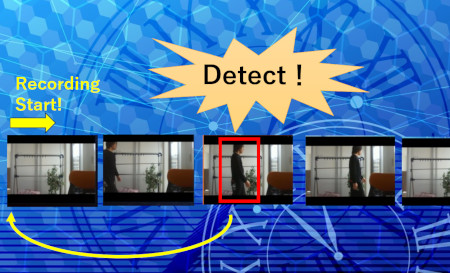
This program sends a PUSH notification when a specified object is detected, starts recording from approximately 10 seconds before the detection, and stops recording after a specified number of seconds. This approach avoids unnecessary recordings and helps save storage space.
 Available on GitHub
The AI detection logic itself is the same as the built-in AI detection program.
When an object is detected, the program executes the aicap command
start_rec to begin recording.
The basic AI detection process is the same as the standard built-in AI detection program.
| File Name | Description |
|---|---|
| extmod.py | Python program for object detection |
| aicap.py | Defines functions to execute aicap commands |
| docker-compose.yml | File that defines the Docker container configuration |
A script is provided to update these files all at once.
Log in to the AIBOX and run the following command to download
update.zip published on GitHub.
After extracting it, run update.sh to update all required files.
$ wget https://github.com/daddyYukio/AICAPTURE/raw/refs/heads/main/programs/auto_rec/update.zip
Once the update is complete, please reboot the AIBOX.
To check detection results in real time, enable the detection result preview feature.
This allows you to view detection results in real time using a web browser.
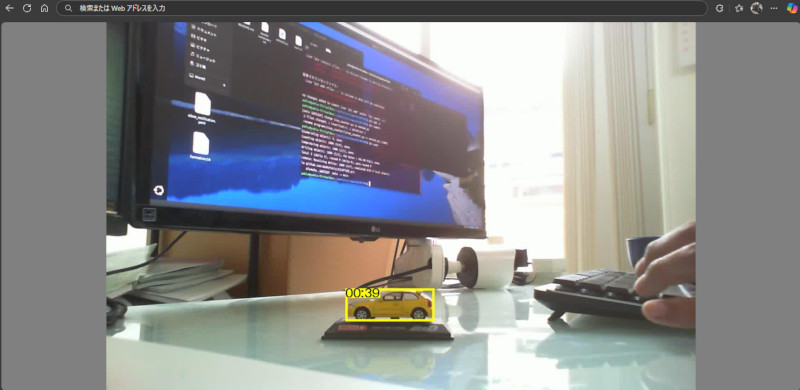
The program logic is the same as the built-in AI detection program.
The methods for changing detected objects and adjusting detection accuracy are the same as those used in the built-in AI detection program.